01
Website only
Portfolio, music, blog, personal project or business page. Choose a design, add your content and publish.
Design · Hosting · SSL · Your domainChoose a demo↗WEBSITE · DESIGN · BUSINESS · MANAGEMENT
Design, publishing, bookings, CRM, payments, and more in one system.
✓Hosting · SSL · your domain · updates
YOU CHOOSE
OneStudio can be a simple website today and a complete operating system tomorrow.
Portfolio, music, blog, personal project or business page. Choose a design, add your content and publish.
Design · Hosting · SSL · Your domainChoose a demo↗When you need more, add booking, CRM, payments, automation, analytics and other modules.
Add modules when neededExplore features↓HOW IT ALL CONNECTS
When you need business modules, OneStudio connects your website, enquiries, clients, payments and automation into one continuous workflow.
A visitor arrives on your website and takes the first step.
The enquiry or booking enters the system immediately.
OneStudio creates and keeps the client history.
Payment and its status stay connected to the client.
Confirmations and reminders can be sent automatically.
The result becomes visible in analytics.
DESIGN IN MOTION
Use ready-made animated sections, interactive elements and expressive compositions. Change the text, images and colors to fit your project.
New design possibilities are added to OneStudio over time.
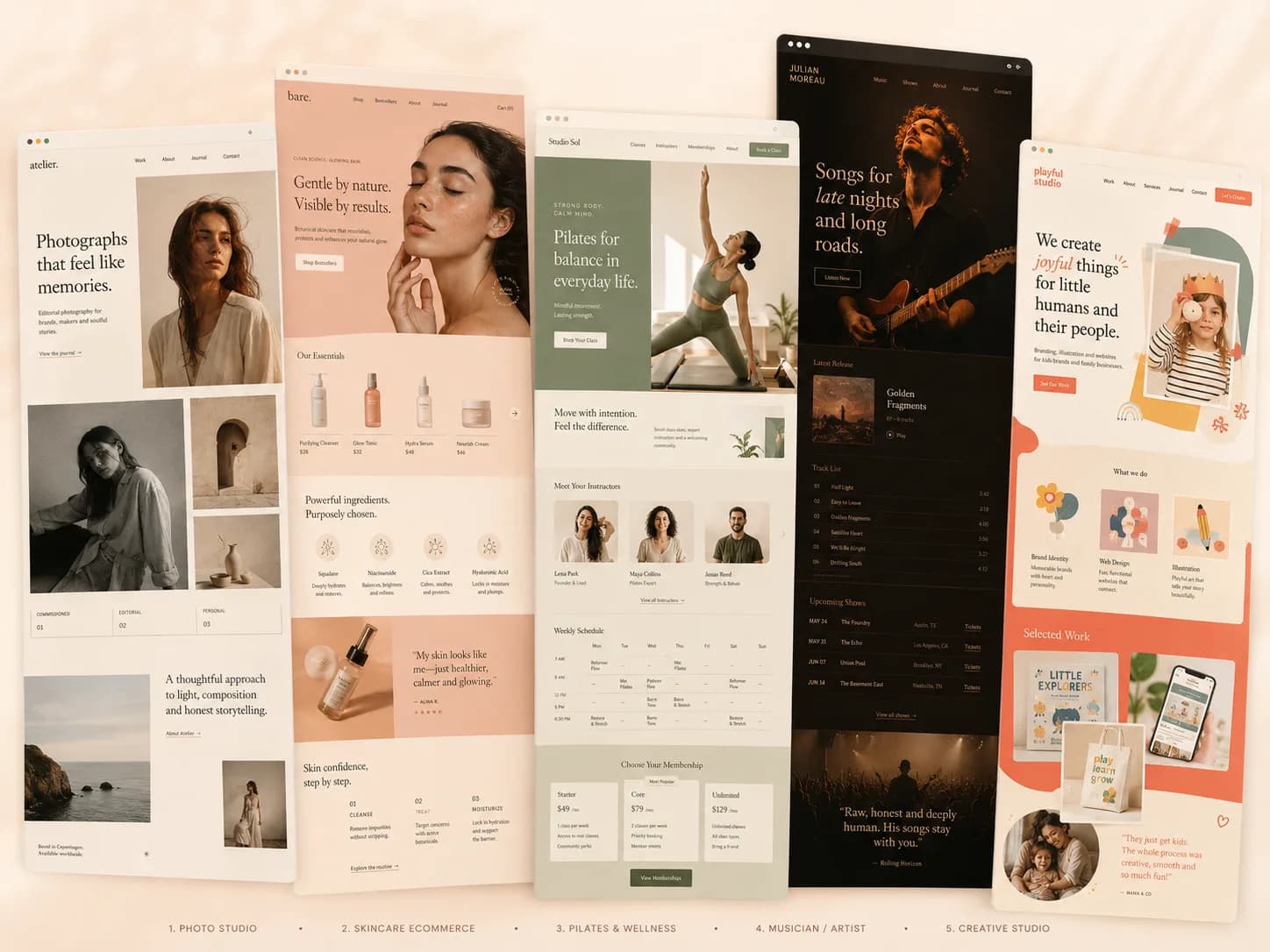
READY-MADE DESIGNS
Choose a direction that feels close to your idea. Replace the text, images and colors – and make the design your own.
You do not have to start from a blank page.
Text · Images · Colors · Structure
Several starting designs for different directions and goals.
ONESTUDIO CAPABILITIES
Website and content, booking, clients, payments, automation and analytics can work independently or together. Add only what you actually need.
The system grows with your project.
Schedule, services and available time stay in one place. Clients choose a suitable option and book online.
Clients see current availability and choose a time that works.
Set duration and availability separately for different services.
Account for the availability of people, rooms or equipment.
Each new booking stays in the system and connected to the client.
Pages, images, portfolio work and copy can change with your project.
Contacts, history, notes and client statuses stay together.
Payment and its status stay connected to the client or order.
Confirmations and reminders can be sent without manual work.
Enquiries, utilisation and key indicators stay visible in one place.
TECHNICAL FOUNDATION
Your domain, hosting, SSL / HTTPS and platform updates are already part of the system. Nothing needs to be installed or configured separately.
Connect the address of your project.
Your site already has a place to live.
Secure HTTPS is already included.
The system updates without manual installation.
USEFUL IDEAS
A practical guide to using aging-in-place remodeling reviews and testimonials as specific, privacy-aware evidence near services, projects and consultation CTAs.
A field-by-field intake guide for compressed-air companies that need better service and project context before technical review, dispatch or quotation.
A source-of-truth guide for compressed-air service companies separating public quote acquisition from equipment assets, PM schedules, work orders, telemetry, parts and field-service operations.
HOW IT WORKS
Choose a ready-made starting point, make it your own and publish. OneStudio is ready to use without separate installation or technical setup.
Start with a website and add more capabilities later.
Choose a demo↗Use a ready-made design or build your site from a blank page in the editor.
Replace the text, images and colors. If needed, add booking, CRM, payments and other modules.
Review the result, connect your domain and launch the site.